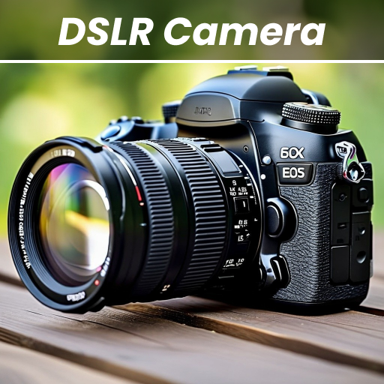
Professional Photography in Your Pocket
Transform your smartphone into a powerful DSLR camera with manual controls and creative editing tools. Capture stunning 4K photos and videos, then perfect them instantly – all in one app.
Everything You Need for Stunning Photos
DSLR-Style Manual Controls
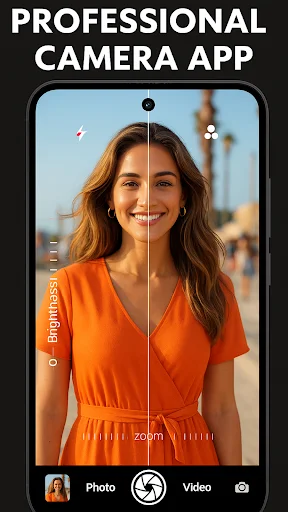
Take full control of your shots with professional settings like ISO, shutter speed, white balance, and exposure compensation. Get perfect results in any lighting condition, from bright daylight to challenging low-light scenes.
Built-In Creative Editor
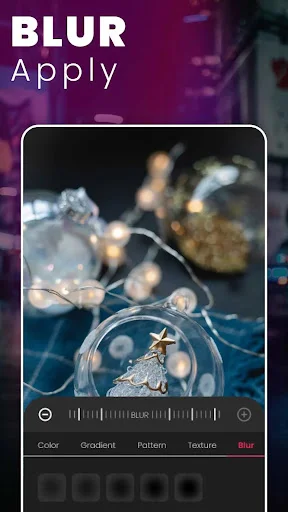
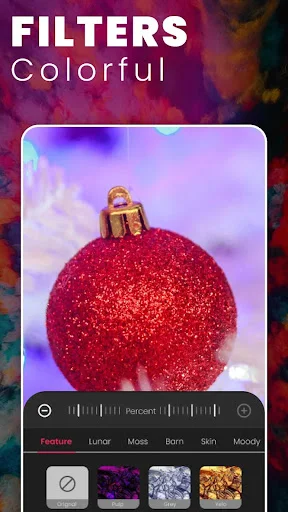
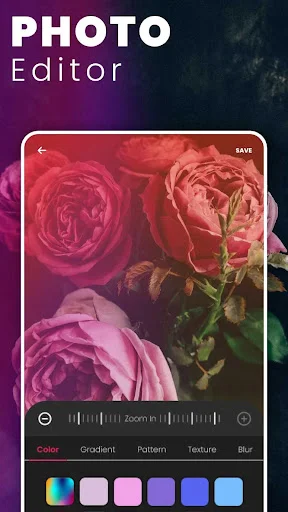
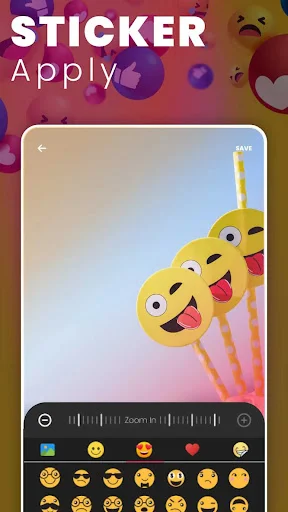
Skip the hassle of switching apps. Blur backgrounds for portrait-perfect shots, apply stunning filters, and add stickers or textures – all after you capture. Create professional-looking photos in seconds.
Crystal-Clear 4K Quality
Capture breathtaking high-resolution photos and videos that look amazing on any screen. Your phone's full camera potential unlocks with support for 4K and 1080p, delivering professional-grade content ready to share.
Smart Capture Modes
Never miss the perfect moment with burst mode for action shots, countdown timers for group photos, and silent shutter for quiet environments. Every feature designed to help you capture exactly what you want.
About
What is a DSLR HD Camera: 4K HD Camera?
This Android camera app combines photo and video capture with manual controls and an editor for blur, filters, stickers, textures, and patterns. Use the front or rear camera, choose settings your phone supports, then refine a photo in the same app.
Who is DSLR HD Camera: 4K HD Camera for?
The app is for people who want more control over everyday photos, selfies, and videos. Use it to set a timer for a group photo, take a burst of an active subject, adjust exposure before a shot, or choose a filter for a particular look.
It is also useful when you want to soften the background after taking or selecting a photo. Adjust blur direction, strength, and brush size to work around your subject.
What does DSLR HD Camera: 4K HD Camera do?
- Capture photos and videos with the front or rear camera.
- Choose supported photo and video resolutions, including 1080p and 4K where your camera hardware provides them.
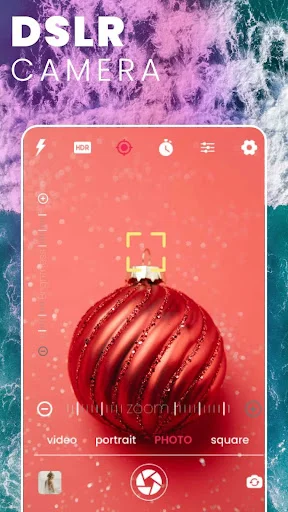
- Adjust white balance, exposure compensation, scene modes, ISO, shutter speed and focus when supported.
- Use burst mode with configurable delays when one frame may not be enough.
- Set a countdown timer, automatic repeat and an audio countdown for hands-free capture.
- Adjust zoom with on-screen controls or multi-touch gestures.
- Apply color effects and filters, or explore textures, patterns, and stickers.
- Change blur direction and strength, then set the brush size for detailed edits.
- Browse templates when you want a prepared visual starting point.
- Choose the silent-shutter option where the device and regional settings allow it.
How does DSLR HD Camera: 4K HD Camera work?
Open the camera view and choose the front or rear lens. Select photo or video, then pick an available mode and resolution. Frame the scene, use gesture zoom, and adjust the controls your phone exposes. For a timed or repeated shot, set the countdown or burst delay before pressing the shutter.
Choose a white-balance setting, scene mode, color effect, or exposure adjustment. On compatible hardware, manual controls can also let you change ISO, shutter speed, and focus. The final output still depends on the phone's camera sensor and processing.
To edit a photo, open it in the editor. Apply a filter, sticker, or texture, or use the blur controls to direct and strengthen the effect. Adjust the brush size for finer work around the subject, then save the result.
Compatibility and requirements
This Android app contains ads and in-app purchases. Current purchase options and included features are shown in the app.
Resolutions, manual settings, lenses, modes, and silent-shutter behavior vary by device. A 4K option cannot add 4K capture to unsupported hardware, and some controls may be unavailable on a particular lens.
Privacy
The app may share device or other identifiers with third parties and uses third-party advertising services.
DSLR HD Camera: 4K HD Camera brings capture controls and creative photo editing together, helping you choose supported camera settings and shape the finished image in one Android camera app.
Permissions Required
- Camera access is needed to take photos and videos.
- Library access lets you select photos and videos for editing and save results to your gallery.
- Microphone access enables sound recording with videos.
See the Difference for Yourself
Join Millions of Happy Photographers
superbb App Guys ..I was searching For Mobile DSLR App since long Time..Finally Today i got it..First of all i checked its Ratings..Views & downloads .After that i installed this App n i experienced The best Results of this App...It has much more features & gestures which is usually needs to be in the DSLR..Rather I prefer It's much more better than the mobile Camera....All Features & gestures are there In this App, which isn't found normally In the mobile camera..I too have Shared This app.👌
Very professional. Very useful. 5 Stars app. I actually mainly used it to record YouTube vedios through a sensetive external mic. Which is not allowed to be used with the conventional camcorder application in Android software. So I used the option to record audio from external mic and it worked smoothly. Thank you dear developer. Go on.
This is indeed an amazing app. Cant believe. As i have tried a lot of apps for my camera...no app has given me much response other than DSLR HD Camera. Absoloutely amazing. Excellent camera quality. A must try app for people who have low quality camera. Amazingg!!😍😍
its amazing! it downloads really fast and opens quickly and its also free which is amazing. the camera quality is great it has great lighting and even an amazing zoom up camera! its all great i really recomend it because its just WOW
Most of the reviewer says that it's good app. But i wanna say with different way. I'm using this app from 2016. Really amazing app. It is very easy to use & provide good service as my requirement! Love this.
my samsung tablet camera quality is terrible. But this app blew my mind, i thought this may not work but somehow this app got me surprised. Thanks for making this amazing app. Keep it up