
Record Videos While Your Music Keeps Playing
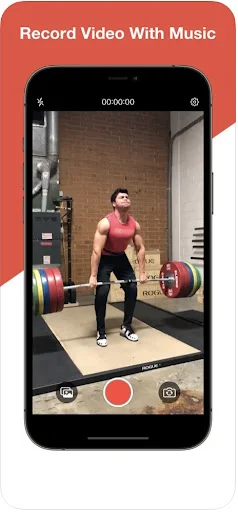
Film dances, workouts, and creative content without your music stopping. Stay in rhythm and capture the moment naturally – no editing required.
Everything You Need to Create With Music
Music Never Stops
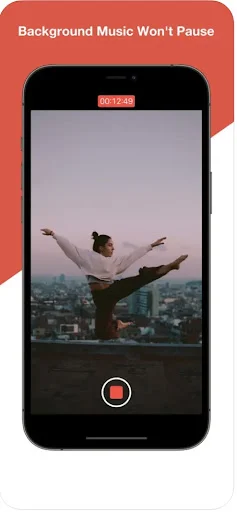
Your favorite tracks keep playing while you record. No more frustrating pauses that break your rhythm and ruin your performance energy.
Stay In Your Flow
Perform naturally with your music guiding every move. Record dances, workouts, and practice sessions exactly how they feel – with the beat driving you forward.
Full Camera Control
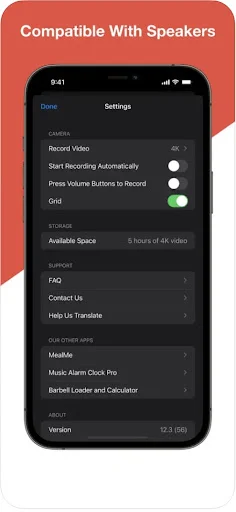
Access all camera tools you need while music plays. Switch between front and back cameras, adjust zoom and focus, use flash and grid lines for perfect shots.
Create Without Editing
Skip the complicated editing process. Capture your performance with music in real time, save instantly to your device, and share moments that feel authentic.
About
Mideo: Record Video With Music - Capture Clips Without Stopping Your Track!
Mideo: Record Video With Music will assist you in filming moments while your favorite track keeps playing in the background. It is useful for dancers, singers, gym sessions, tutorials, reactions, practice clips, lifestyle content, and any moment where movement and rhythm should stay together.
Record Video While Playing Music helps when the built-in camera usually pauses your track. Video Recorder With Audio gives you a smoother way to capture footage with clear camera controls and flexible recording options.
Creative Recording Tools:
- Mideo: Record Video With Music - Capture clips while your chosen track keeps running
- Record Video While Playing Music - Film dances, workouts, covers, and practice sessions
- Video Recorder With Audio - Use camera tools for clearer footage and captured audio
- Add Music While Recording - Keep the background track active during filming
- Make Video With Music - Create fun clips for routines, lessons, and personal projects
- Camera Controls - Use front camera, back camera, zoom, flash, focus, and grid lines
- Quick Saving - Store finished clips directly on your device for easy access
Film routines, workouts, covers, and creative clips with sound!
Add Music While Recording is helpful when you want the energy of a song to guide your movement. Instead of filming silently and editing later, you can keep the moment feeling more natural while you capture it.
Make Video With Music works well for users who want a faster creative flow. You can start your track first, open the app, press record, and keep your focus on the performance instead of technical steps.
Simple Recording Flow:
- Start your preferred track from your device
- Open Mideo: Record Video With Music, and choose your camera setup
- Use Record Video While Playing Music when the track should continue
- Select Video Recorder With Audio for clips that need captured sound
- Try Add Music While Recording during dances, workouts, or practice takes
- Use Make Video With Music to save your finished clip and review it later
Built For Creators, Performers, And Daily Moments:
A good clip can lose its energy when the track stops too soon. Mideo: Record Video With Music keeps the flow easier for people who film choreography, exercise sets, singing practice, tutorials, or simple everyday moments. The app also supports camera basics like portrait, landscape, flash, zoom, tap focus, and grid lines, so the filming experience feels familiar.
Keep The Flow While You Capture:
Record Video While Playing Music gives you more freedom when timing matters. You can keep listening, adjust the track from your device controls, and continue filming without restarting your setup. Video Recorder With Audio is also useful when you want a more complete clip that includes both the scene and the sound around it.
Create Clips That Match The Moment!
Add Music While Recording makes filming feel more natural when sound is part of the idea. Whether you are practicing, performing, training, or making quick content, the app helps you stay in rhythm from start to finish. Make Video With Music gives you a simple way to capture, save, and enjoy clips that feel closer to the moment you wanted.
See How Simple It Is
Join Thousands of Happy Creators
i can't shoot a video without this app i like this 👌😘😘
amazing and it records with Pandora in the background
exactly what I've been looking for
it works!!!!!! Moto g play '24
does what it says it does.
this is best app